
How to Create AI UGC Videos: 6-Step Workflow
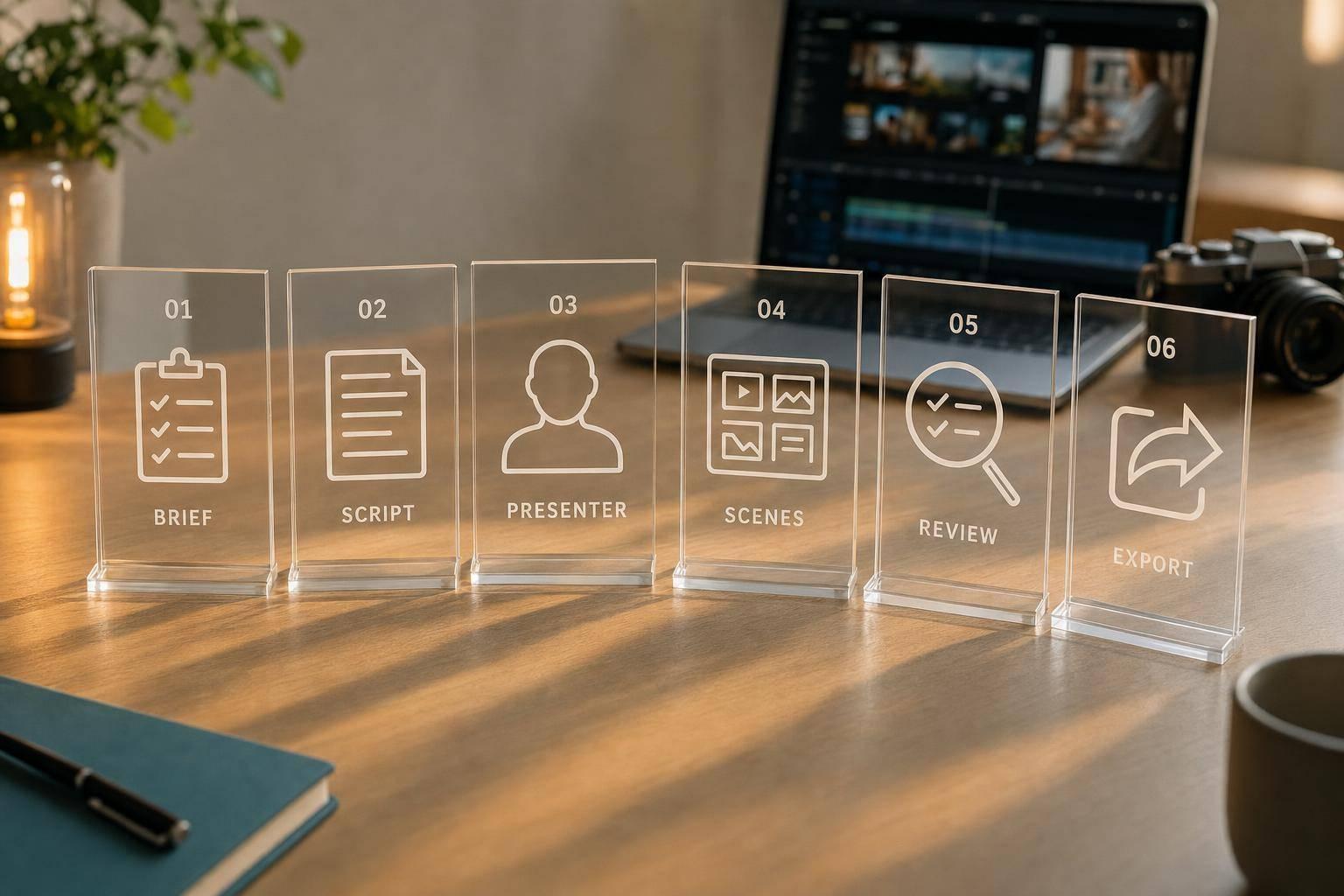
How to Create AI UGC Videos: 6-Step Workflow
You can make an AI UGC video in 6 clear steps: brief, script, presenter, scenes, review, and export. In most short-form ads, the target length is 15–30 seconds, and the final file is usually 9:16 at 1,080 × 1,920 with H.264 export. That means the job is simple: decide the message first, then build the video around spoken delivery and platform rules.
If I had to sum up the process in one line, it would be this: I treat AI UGC like a brand ad, not a customer review. That changes how I write the script, check claims, and add disclosures.
Here’s the full workflow at a glance:
- Step 1: I define the offer, audience, and platform.
- Step 2: I write a short script with a hook, benefit, proof point, and CTA.
- Step 3: I choose the AI presenter’s look, voice, and tone.
- Step 4: I map each line into short vertical scenes with text and visuals.
- Step 5: I review in three passes: message, technical quality, and brand/compliance.
- Step 6: I export one clean master, then make platform edits only when needed.
A few points stand out. First, short-form viewers decide fast, often in just a few seconds, so the opening line and delivery matter a lot. Second, separating review into three passes cuts down on messy feedback. Third, one approved master helps me keep TikTok, Reels, and Shorts in sync without extra rework.
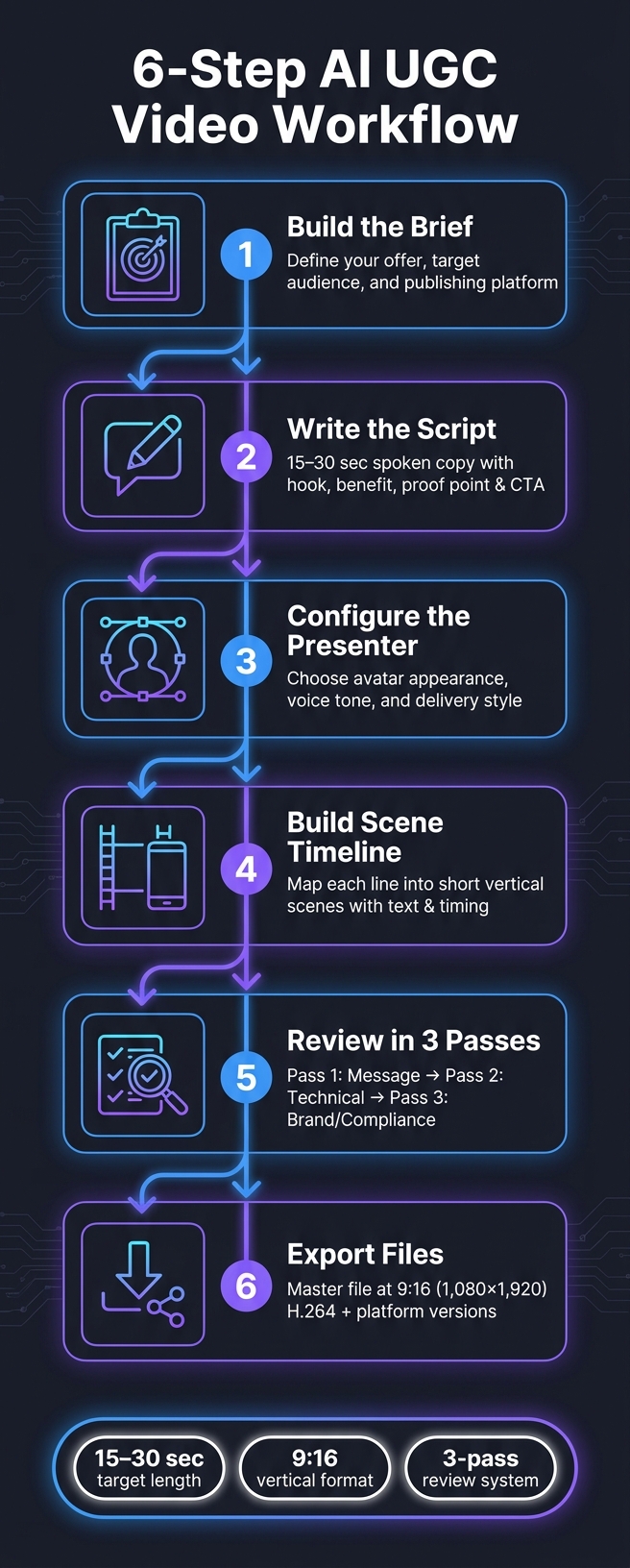
6-Step AI UGC Video Workflow: From Brief to Export
Quick Comparison
| Step | What I do | Main output |
|---|---|---|
| 1 | Set the brief | Offer, audience, platform |
| 2 | Write spoken script | 15–30 second copy |
| 3 | Set the presenter | Avatar, voice, delivery |
| 4 | Build the timeline | Vertical scenes, text, timing |
| 5 | Review the draft | Message, tech, compliance checks |
| 6 | Export files | Master file and channel versions |
So if I want a repeatable way to make AI UGC videos, this workflow gives me a simple path from idea to approved short-form ad.
Steps 1 and 2: Write the Brief and Script Before Production Starts
Before anyone hits record, lock down the message, the audience, and the platform. That gives the video a clear job to do and cuts out the usual last-minute guesswork.
Step 1: Build a One-Page Video Brief
Start with a one-page brief. It sets the message and format before production starts, so the team isn't winging it halfway through.
The brief should cover the offer, the target audience, and the platform where the video will be published.
| Brief Element | What to Include |
|---|---|
| Offer | What exactly is being promoted |
| Audience | Specific demographic or user persona the video is intended for |
| Platform | TikTok, Instagram Reels, or YouTube Shorts |
Once those inputs are fixed, move to the script. And here's the key shift: write it for delivery, not for reading on a page.
Step 2: Write a Short Script Built for Spoken Delivery
After the brief is approved, turn it into spoken copy. Keep the script short - about 15–30 seconds - and build it around four parts:
- a hook
- one benefit
- one proof point
- a clear CTA
Each line should be short, conversational, and easy to say out loud. If it feels clunky when spoken, it's probably too stiff for video.
Steps 3 and 4: Set Up the AI Presenter and Build the Scene Timeline
Once the script is set, pick the presenter and lay out the visuals. Those two decisions should work together. In practice, the presenter choice should shape the scene plan right away.
Step 3: Configure Presenter Appearance, Voice, and Delivery
Choose an avatar whose age, wardrobe, and tone fit the target customer and the product’s positioning. If those things don’t line up, credibility takes a hit. It feels off, and viewers notice fast.
Then adjust the voice delivery so it sounds natural. Default settings often come across as robotic. That matters a lot on mobile, where people make snap judgments in seconds. After the presenter is locked, build the rest of the ad around that delivery.
Step 4: Break the Script into a Scene-by-Scene Vertical Timeline
With the voice and appearance set, turn the script into a shot plan. Break it into a vertical scene timeline with matching visuals, on-screen text, and timing for each line. Keep it divided into short vertical beats for TikTok, Reels, and Shorts.
This gives you a clean draft that’s ready for message, technical, and brand review.
Steps 5 and 6: Review the Draft and Export Platform-Ready Files
Once your scene timeline is in place, review the draft in separate passes so each round stays focused.
Step 5: Review Message, Technical Quality, and Brand Compliance in Separate Passes
Run three passes in this order: message, technical, and brand/compliance.
For the message pass, make sure the hook works, the main benefit comes through, and the CTA lands clearly. For the technical pass, check audio, framing, captions, and render quality. Then use the brand/compliance pass to confirm claims and disclosures match brand rules.
When all three passes are approved, export the clean master.
Step 6: Export a Clean Master and Platform-Specific Versions
After approval, export the master in 9:16 at 1,080 × 1,920 pixels using H.264.
Create separate versions only if a platform needs different text, timing, or CTA. Sun Scroller can export approved videos and publish them across YouTube, TikTok, and Instagram, with per-channel analytics and brand review controls.
Conclusion: Use This 6-Step Workflow to Produce AI UGC at Scale
How This Workflow Helps Lean Teams Publish More Consistently
When you use these six steps together, AI UGC stops feeling random and starts working like a repeatable system.
The flow is simple: a shared brief, a script, a review loop, and an export process. Each part helps keep every video in line with brand standards. That matters a lot for lean teams. It cuts down on guesswork, makes revisions faster, and helps keep videos consistent across TikTok, Reels, and Shorts.
FAQs
How long should an AI UGC video be?
An AI UGC video should match the short-form style of each platform. In most cases, that means keeping it under 60 seconds.
For TikTok, Instagram Reels, and Shorts, 15–30 seconds is usually the sweet spot. That gives you enough time to land the hook, make the main point, and add a clear call to action without hurting retention.
What makes an AI presenter feel natural?
An AI presenter feels natural when the delivery lines up with the cues people expect in everyday speech: clear pacing, natural phrasing, and timing that feels believable. As you make changes, that rhythm should stay steady so each edit improves the flow instead of making the performance feel choppy.
A steady setup matters too. Keep lighting, framing, and scene conditions consistent across scenes and revisions so the person on screen feels human, not robotic or stitched together.
When do I need separate exports for each platform?
You’ll need separate exports when platform rules don’t line up, especially for TikTok, Reels, and Shorts.
If the aspect ratio, resolution, or video length differ across your chosen settings, export each version on its own. That keeps the framing right and the pacing from feeling off.
A single export only works well when those specs match.