
Contextual B-Roll for UGC Ads: 25 Shot Ideas
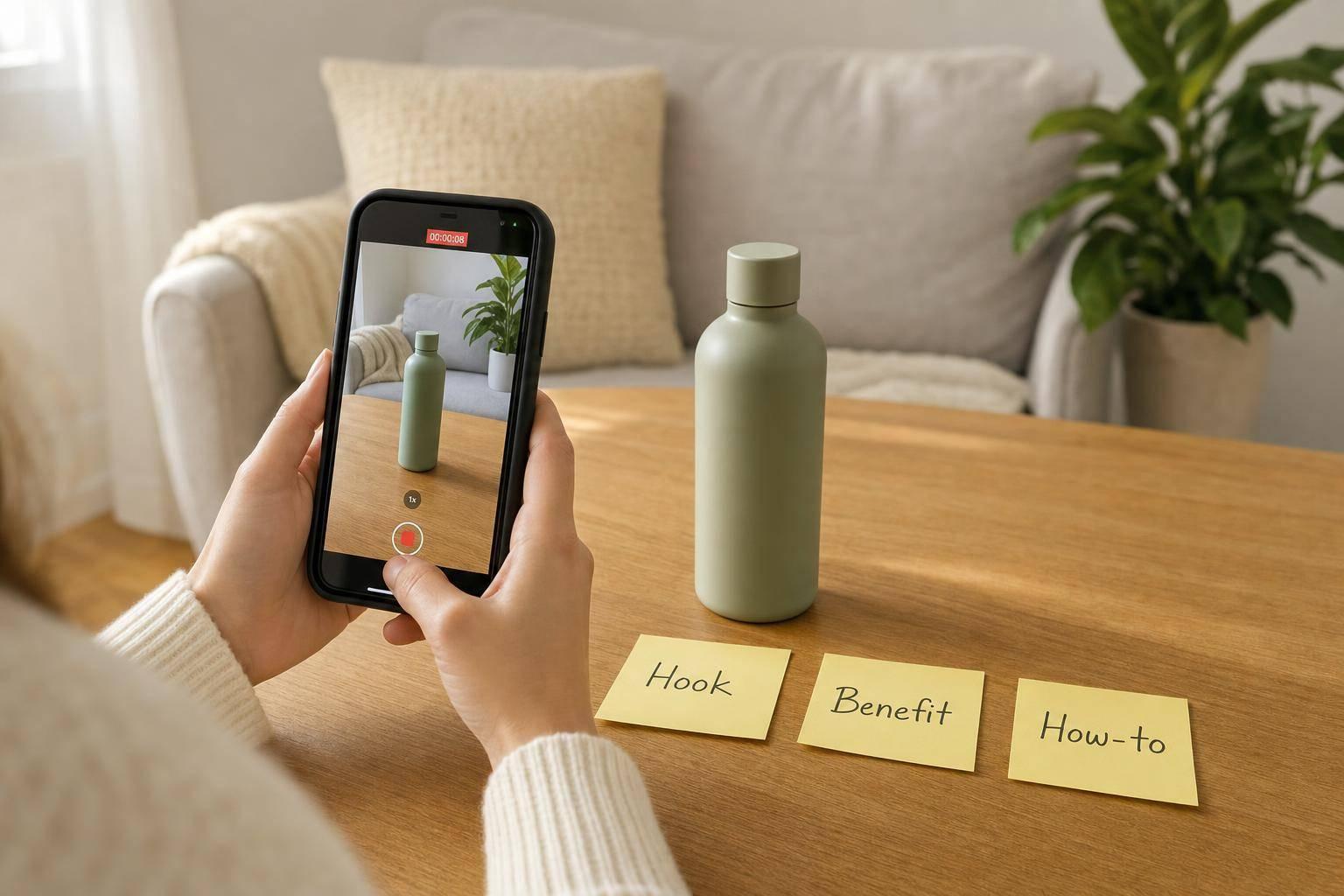
Contextual B-Roll for UGC Ads: 25 Shot Ideas
Most UGC ads fail when the footage and script don’t match. I’d fix that by planning each line around one job: show the problem, show the product, show it in daily use, or show the result.
Here’s the short version:
- I use context-based B-roll to place the product in normal scenes like a kitchen, desk, car, or bathroom.
- I match each clip to the exact voiceover line so the ad feels clear and easy to follow.
- I mix wide, medium, close-up, and POV shots to keep the video moving without making it messy.
- I keep before-and-after clips framed the same way so the result looks fair on screen.
- I shoot for vertical 9:16, hold clips long enough for editing, and keep backgrounds clean.
The article also maps the shot list into 4 core groups:
- Problem & friction - small annoyances like stuck zippers or glitchy phones
- Discovery & unboxing - doorstep delivery, box opening, first touch
- Daily use - the product sitting naturally inside a normal routine
- Demo, proof & results - side-by-side payoff shots with matching framing
A 2025 Wyzowl report found that 89% of businesses use video as a marketing tool. That means your footage has to do more than look nice. It has to explain the product fast.
If I were planning this ad, I’d build a small shot bank first, then assign each script beat one matching visual. That makes the edit smoother and cuts down on filler clips later.
Bottom line: contextual B-roll works best when the scene, action, and script all say the same thing.
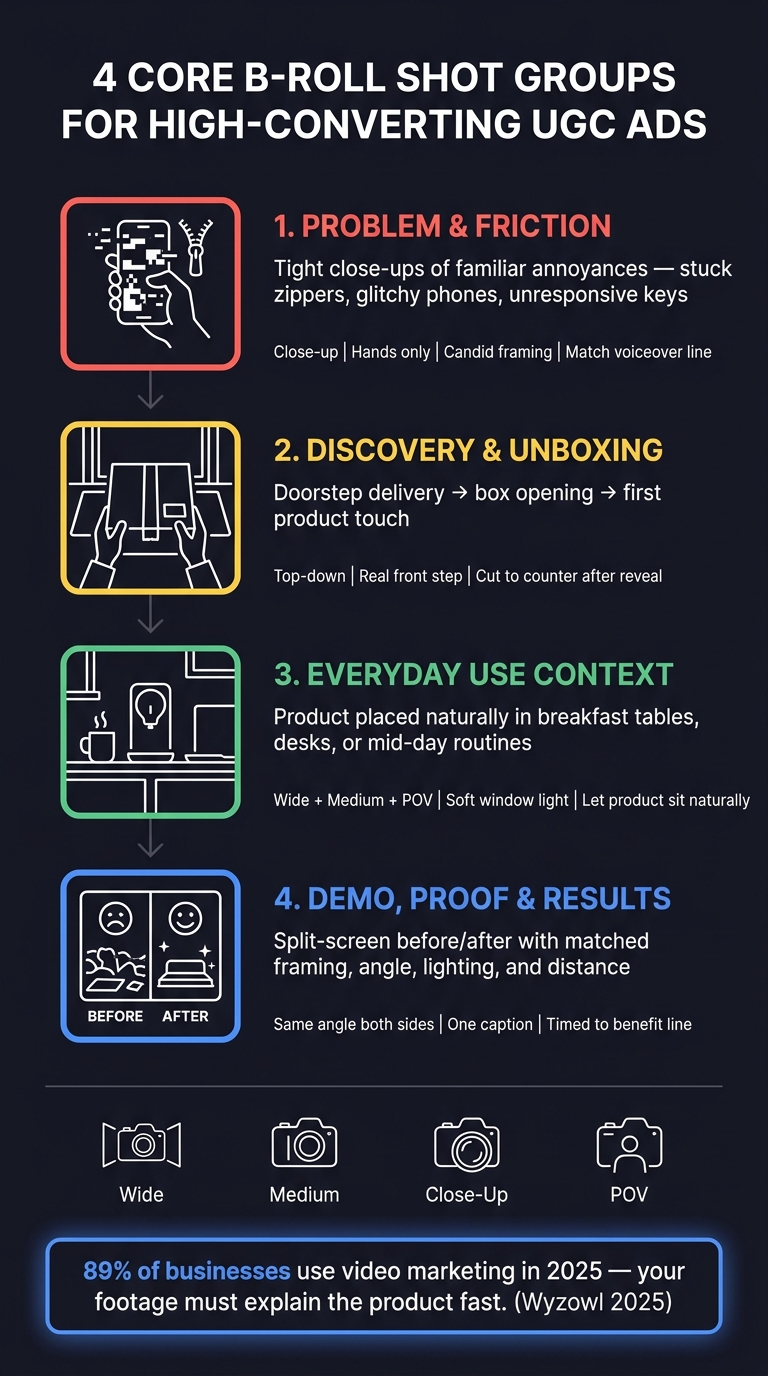
4 Core B-Roll Shot Groups for High-Converting UGC Ads
What Makes Contextual B-Roll Work in UGC Ads
Contextual B-roll works when it lines up with the voiceover. If the viewer hears one thing and sees another, the ad starts to feel off. But when the visuals match the spoken message, the whole piece feels more believable.
Use settings that feel normal and easy to recognize. A real kitchen, car, bathroom, desk, or gym corner does a lot more than a scene that looks overly set up. That kind of backdrop helps ground the problem or use case in everyday life.
Shot variety matters too. A mix of angles keeps the ad easy to follow and gives it some movement without making it feel busy:
- Wide shots show the setting
- Medium shots show the action
- Close-ups show product details or small reactions
- POV or over-the-shoulder shots make the moment feel firsthand
Before-and-after footage needs extra care. Keep the framing, camera distance, angle, and lighting matched so the change looks believable. If those details shift too much, the result can feel staged.
It also helps to hold each shot long enough for smooth editing. Give yourself clean in-and-out points. Keep the acting subtle, and don’t clutter the background. Simple footage usually feels more natural on screen.
Use these rules to sort the 25 shot ideas below by scene, angle, and edit length.
Quick Planning Snapshot for the 25 Shot Types
Before you film, map each script line to a shot type, setting, and angle.
Keep the grid simple:
- Script line
- Shot type
- Location
- Estimated length
Then pair each line with one of the 25 shot ideas below.
1. Problem & Friction
Shot Idea 1: Micro-Friction Moment
Start with a tight close-up of hands dealing with a small, familiar annoyance: a stuck zipper, a phone that won’t respond, or a key that refuses to turn. The point is to show the problem fast, using a bit of visible friction the viewer will recognize right away. This lands best when the voiceover says the exact problem shown on screen.
Keep the face out of the frame. Hands and objects usually feel more natural, and the shot comes across less staged. If you can, film through a foreground object so it feels candid, like you just caught the moment as it happened. That also makes the shot easier to use as a quick cut in a voiceover-led ad.
Match the shot with the line that clearly names the problem, then follow it with the line where the product solves it.
2. Discovery & Unboxing
Shot Idea 2: Top-Down Reveal
Film straight down as hands open the box and lift out the product. Catch that first touch, the film peel, or the tissue pull-away. Start with the package on the doorstep, then cut to the box opening.
Set the package on a real front step before opening it. That simple setup ties the unboxing to the way a customer gets it at home.
After the reveal, move the product to a kitchen or bathroom counter. This puts it in the middle of everyday use, not just the unboxing moment. The shot lands best when the voiceover moves from delivery to that first use.
3. Everyday Use Context
Shot Idea 3: The Mid-Day Routine Drop-In
Put the product into a normal part of the day. Aim for a calm, casual moment that doesn’t feel staged. A breakfast table, kitchen counter, or desk during a mid-day break all work well. Soft window light helps the scene feel natural.
Let the product sit in the frame in an easy, natural way instead of setting it up too carefully. Keep the shot steady and simple so the voiceover can do the heavy lifting. This works best as a short cutaway right before the next action shot.
4. Demo, Proof & Results
Shot Idea 4: Split-Screen Before/After
When the ad hits the payoff, cut to a frame that shows the result right away. Put the before and after in one clean split-screen, and add a short on-screen label that backs up the voiceover. Time this shot to the line that states the benefit.
Keep both sides lined up the same way: same angle, same distance, same lighting. Use one small caption or one simple split-screen marker. Keep the frame centered on a single outcome.
Closing Takeaways
Across all of these shot ideas, one rule stays the same: match the visual to the script. Contextual B-roll makes UGC ads easier to follow because each clip backs up the voiceover and the moment on screen.
Once the script is mapped out, give each beat one of these four visual roles. Cover the hook, reveal, routine, and payoff so every part of the script has a matching visual. If one beat is missing, you'll feel that gap in the edit, and it's much harder to patch later.
Use natural hand movement, real settings, and matched before-and-after framing to keep the footage believable and easy to reuse across hooks, demos, and results. Shoot in vertical 9:16 from the start.
Think of the 25 ideas as a modular shot bank. Pull the clips that fit the script, then cut them into a clean sequence that feels natural.
FAQs
How many B-roll clips should I plan per script?
For a standard UGC-style ad, plan for at least 5 to 8 distinct B-roll clips per script. That’s usually enough visual variety to hold attention while backing up the voiceover or main hook.
If you want to make the process easier, Sun Scroller is a done-for-you AI video service that creates monthly short-form videos, reels, shorts, and video ads for brands.
What shots work best for phone-based UGC ads?
The best shots show real interaction with the phone so the ad feels relatable. Think close-ups of a hand scrolling, tapping to finish a purchase, or reacting to a notification.
You can also pair a screen recording with a shot of someone holding the phone. That makes the user experience easy to follow and shows how the product fits into everyday use.
How do I make before-and-after shots look believable?
Keep the camera in the same spot from start to finish. Use the same framing, match the lighting and color, and keep props and hand placement the same in both the “before” and “after” shots.
For the transition, show a clear action people can follow at a glance, like packing or unpacking, or applying the product and then using it. After that, come back to the same angle. Skip hard cuts that shift the perspective.